All your accounts
in one inbox.
Gmail, Outlook, Microsoft 365, iCloud, Fastmail, Yahoo or any IMAP account.
Outlook and Microsoft 365 mail are available in the beta, with secure sign-in through Microsoft Graph.
 Fetch!
Mac, iPhone and iPad, coming end of 2026
Why Fetch!
Join the beta

A fast, private, and native mail client for your Mac, iPhone and iPad.
Join the betaFree, coming by the end of 2026
Fetch! is email made for
people 
 LR, not machines.
It’s fast, has every feature ⌘K you’d expect, and it has smart features that run on your device
.
Connect your existing agents >_ on all your accounts, while your mail stays between you
 and your provider and never on our servers.
Gmail, Outlook, Microsoft 365, iCloud, Fastmail, Yahoo or any IMAP account.
Outlook and Microsoft 365 mail are available in the beta, with secure sign-in through Microsoft Graph.
The Focus Inbox filters newsletters, receipts and notifications out of the way.
Sorted locally on your device using Apple Intelligence. Your mail isn’t sent anywhere for processing.
Reply and add to calendar with one click. Works with Google, iCloud, Exchange and any calendar on your device.
Calendar Invitation
Ecola dinner
Oct 26, 2026 at 8:00 PM – 10:00 PM
Ecola, Cannon Beach
Luis Rivera, organizer
ERElena RiveraAccepted
IRInés RiveraMaybe
NRNico RiveraAccepted
ARAlex Rivera (you)Pending
Search happens instantly on your device, and even looks for content inside your attachments. On your Mac, an optional on-device model can search by meaning instead of just keywords.
Search
Search in: All Accounts Newest
Enjoy the same native experience on all your devices, with support for Mac, iPhone and iPad.


 ⌘K
 Snooze
Set emails aside for later using snooze. Emails will return to the top of your inbox to remind you at your set day and time.
☾ Snoozed until Thu 9:00 AM
 Undo Send
Up to 30 seconds, configurable duration in settings.
 Send Later
Schedule any message from the send button for any future date and time.
Notes from today, before I forget…
⏱ Scheduled for tomorrow at 9:00 AM
 Templates
Create and reuse templates for your commonly used communications.
 Aliases and signatures
Your aliases and signatures sync directly with Google. For IMAP accounts, your aliases sync between your Macs through iCloud.
Alex Rivera
Studio Rivera · Athens
 Catches mistakes
Mentioned an attachment without attaching it? About to reply to a message you were Bcc’d on? Responding from another account than the one you usually use with that person? Started your email by addressing the wrong person? Fetch! will warn you about all these and many more before you send.
Check your messageYour message mentions an attachment, but no files are attached.
 Unsubscribe and delete
It’s easier than ever to unsubscribe from newsletters and delete all messages that sender has sent you, with one click.
Fetch will ask dealsdaily.example to unsubscribe you. No message is sent from your account.
Unsubscribe and Delete
 Board
An infinite canvas board where you can pin and organise visually any email or draft.
To reply
Waiting
Done
 Tasks
Built-in todo for all your pending tasks, with relevant emails linked. Coming soon, integration with your favorite todo apps.
 Share a link
Easily share an email as a link, encrypted, with an optional expiration date. Revoke shared links at any time. (Viewer needs to have JavaScript enabled to decrypt message. Decryption key is appended in the URL after the # key and never leaves the browser.)
 Your agent
Fetch! has a built-in MCP server that lets your existing AI agents access your emails and calendar, across all accounts.
~ claude
> file last month’s receipts in Receipts
⏺ fetch · mail_move · 38 messages
⎿ Waiting for your approval in Fetch!…
Claude is asking for your approval.
Touch ID lock
Set the app to lock when you step away, from immediately to an hour later, with Touch ID and Face ID.
 Locks again in 5 sFetch! is lockedAuthenticate to view your mail.
 Read tracking
Optionally turn it on for the messages that matter.
Enable read tracking
 Vacation responder
Set your Google vacation reply without opening Gmail. Your settings sync automatically.
On a boat somewhere near Milos. Back Monday, I’ll reply then.
 Notifications
Receive notifications instantly on your Mac, which if left online, can send push notifications to your mobile devices.
No Mac left online at home? Use Fetch Cloud instead, with 2 mailboxes connected for free.
Danae Kourinow
A few days in MilosThe little place above Pollonia looks perfect. Should we book it?
 Attachments
Support for QuickLook previews of your attachments. Dedicated Attachments window that shows you all attachments received, filtered by file type, and searchable.
📎 2 Attachments · Save All
 People in the thread
On the Mac, added and removed people are highlighted between conversations. Quickly notice when they’ve replied only to you instead of using “Reply all”.
Luis added Inés Rivera, Nico Rivera
and removed North Coast Stays
 Faces and logos
Permit access to your Contacts.app locally to see the avatars you already have for the people you know. Company emails automatically have their logos as their avatar.

 Save as .eml
Save any message and its full headers in standard .eml format for archiving or sharing.
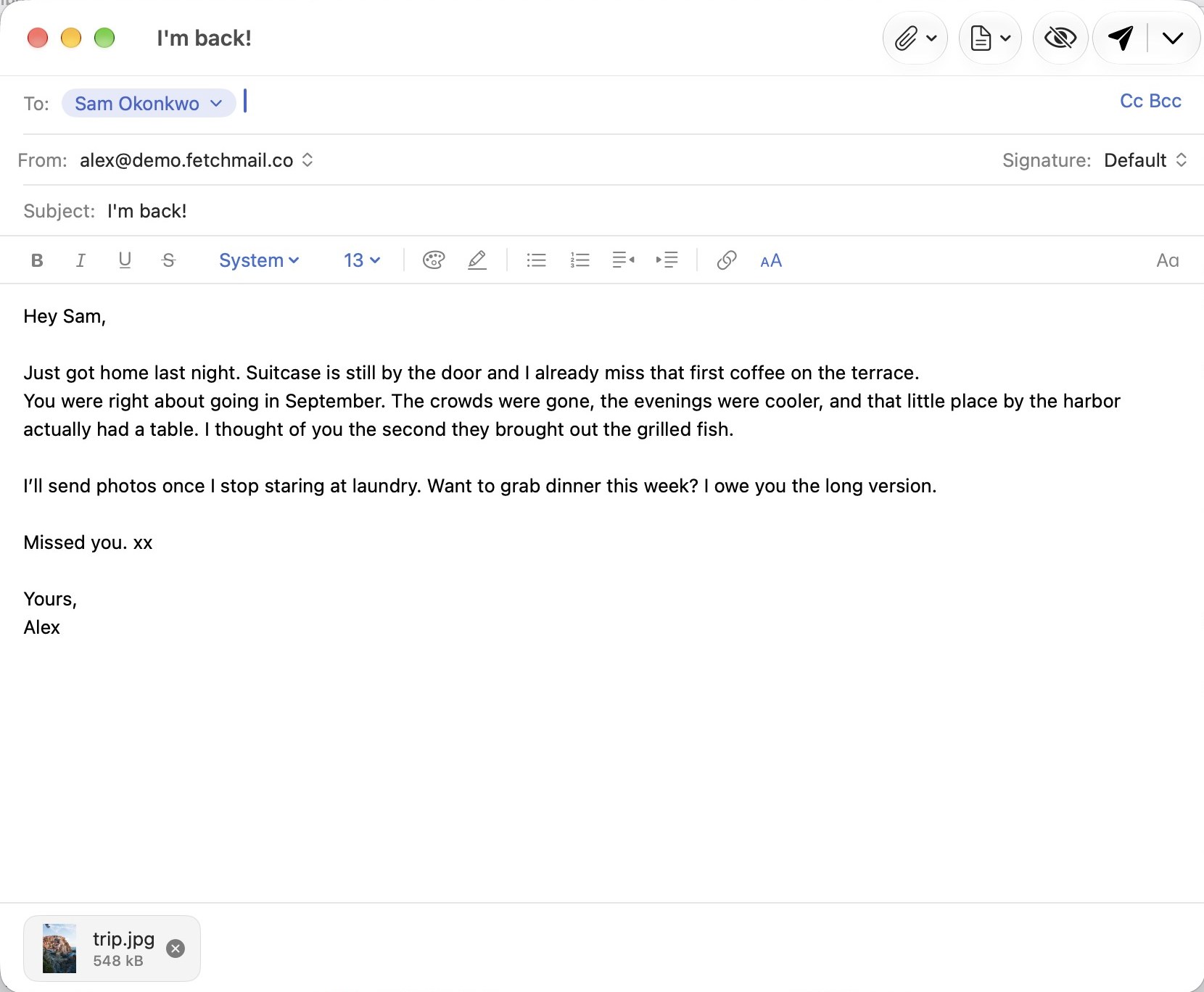
 Multiple windows
Email composer opens in one window, while you read a thread in another.
 Light and dark
Light or dark mode on all your devices.
 Shortcut presets
Bring the shortcuts you’re already used to from Gmail, Apple Mail or Superhuman.
Coming Q1 2027
Comments, assignments and shared drafts, from inside the thread. End-to-end encrypted, part of your Fetch Cloud subscription.
Hi both, could the Kyma photos be ready by Friday instead of Monday? The new site goes live on Saturday morning.
Eleni
Hi Eleni, Friday works. The full set will be with you by 5 PM. The drone shots follow on Monday, weather permitting.
 Share a conversationAttachments included. Stop sharing whenever you like.
 Assign itWith a note and a deadline.
 Comment in the threadReplies and formatting. Only your teammates can see them.
 Write the reply togetherLive, with everyone’s cursor in the same draft.
 Shared SentSee what the team already replied.
 Stay in the loopA notification when you’re assigned, or someone shares or comments.
 Mac, iPhone and iPadShare, assign, comment and write together from any of them.
 Keys only your team holdsEnd-to-end encrypted, with a 24-word recovery phrase.


Fetch! is coming to Mac, iPhone and iPad by the end of 2026.
Hello! 👋
I’m building Fetch! for myself because none of the other clients worked for me anymore.
I was an avid fan of Spark Mail for many years, and then they made it an “AI-everything” electron app that lost its … spark.
I then moved to Superhuman and loved how fast I felt working with it, but it wouldn’t connect to my IMAP accounts, there was no unified inbox, and was crazily expensive.
I went back to Mail.app and found myself rebuilding the inbox every few weeks because sync kept breaking. Also, there were no push notifications on mobile for non-iCloud mail accounts.
Then I gave Outlook a shot, and next to everything else on my Mac and iPhone, the user experience felt like a compromise.
And everywhere I looked, the trend was the same. Every button wants to write the emails for you, or summarise them. Assistants are EVERYWHERE. These companies jumped so quickly into the new AI hype bandwagon, that they ruined the core and very soul of their products. Don’t get me wrong, assistants can be great for sorting through your inbox, and sometimes asking for a more diplomatic way to respond to certain people when your head’s not in the game. But the client and its UI should be made for humans-first.
Not to mention that in most of these clients, my mails would sync and be stored on their servers in who-knows where.
Fetch! is what I built for myself to use daily. It is fast, private, with all my accounts supported, and every feature I expect from a proper mail client.
The smart features run on my device, locally, not on someone else’s server. And when I want to use my agents to help me organise my inbox, they are welcome on my terms using the built-in MCP server.
Thank you for considering using Fetch! This will be a boring client that will do email and email only. And that’s fine, tools are meant to be reliable, convenient, and boring.
Dimitris
Fetch! is free to use. A few optional extras need a server to work, and those run on Fetch Cloud.
| Fetch!Free | Fetch CloudComplimentary | Fetch CloudSubscription | ||
|---|---|---|---|---|
| Connect unlimited inboxes locally | ||||
| Every account in one inbox, the Focus Inbox, search, snooze, templates, Undo Send, ⌘K, Touch ID lock and every other feature that runs on your device | ||||
| Your own AI agents, with the freedom you choose | ||||
| New mail alerts on iPhone and iPad from a Mac you leave on | ||||
| Capabilities that utilise Fetch! Cloud servers | Instant new mail alerts without an online Mac | 2 mailboxes | Up to 20 mailboxes | |
| Scheduled sends that go out while your devices are asleep | ||||
| Read tracking | ||||
| Encrypted share links to a single email | ||||
| Working on email together with your team | Coming Q1 2027 |
Join the TestFlight beta, or hear from us on launch day.
Yes. Fetch! is free to use, with every feature that runs on your device. A few optional extras need a server to work. Those require Fetch Cloud, which has a free tier plan that covers most people’s needs and a subscription for those who need more. See what’s included.
No, Fetch! doesn’t sell your data. The app costs very little to maintain because everything runs on your Mac, iPhone or iPad, not on a server. Fetch Cloud subscriptions pay for the rest.
Fetch! also stays small on purpose. A small team has no reason to invent features to justify itself, so the work goes into what email needs: being fast, reliable and easy to use.
By the end of 2026, on Mac, iPhone and iPad. Want it sooner? Join the beta, and we’ll send you a TestFlight invite.
Gmail and Google Workspace, Outlook.com and Microsoft 365, iCloud, Yahoo, Fastmail, Zoho, GMX, and any account that speaks IMAP, all side by side in one inbox. Outlook and Microsoft 365 mail are supported now on Mac, iPhone and iPad. You sign in directly with Microsoft, so Fetch! never sees your Microsoft password.
A Mac with macOS 15 or later, and iPhone or iPad with iOS 26. The Focus Inbox sorts your mail with Apple Intelligence, so it needs a device and a system where Apple Intelligence is turned on. Everything else works without it.
No, Fetch! on iPhone and iPad can work on its own.
The only difference is how quickly new mail notifications show up. With a Mac that’s paired and left online at your home or office, new mail alerts arrive instantly. If you don’t have a Mac that can stay online, Fetch Cloud’s complimentary plan covers two mailboxes for free and can watch and notify you about new emails instantly.
Without either, iPhone decides when Fetch! may check in the background, so new mail notifications usually arrive within about 15 minutes, or when you open the app. On the Mac, notifications are always instant.
Yes. While you’re offline, you can read, search and organise any mail that has already synced to your device. Anything you do, like archiving, moving or flagging, happens right away and syncs when you’re back online.
On your devices, and with your email provider, where it already lives. Fetch! syncs straight from your provider. There is no copy of your mailbox on our servers.
Only on your device. The Focus Inbox and other smart features use Apple Intelligence on your Mac or iPhone. On the Mac you can also turn on search that understands what you mean, not just the words you type. It’s an optional one-time download of about half a gigabyte, and it runs entirely on your Mac. Nothing is sent anywhere to be processed.
Not on its own. Fetch! helps you find, sort and answer your mail faster, and it catches the easy mistakes before you send. The writing stays yours. If you want, you can connect your own assistant to help you organise your inboxes, and even draft and send emails for you.
An optional service. If you have a Mac that stays on at home or at the office, you probably don’t need Fetch Cloud. With Fetch! open, your Mac passes new mail alerts on to your iPhone and iPad itself. Fetch Cloud does that job without your Mac, and adds the things that need a server, like scheduled sends that go out while your devices are asleep and encrypted share links. Two mailboxes are complimentary, and a subscription covers more. See what’s included.
For Microsoft accounts, new-mail alerts use a separate, metadata-only permission. Fetch Cloud can see who a message is from and its subject, but cannot read message bodies or attachments, send messages or change your mail.
For Google accounts, Fetch Cloud asks for its own, separate permission with a narrow scope. It can see message metadata, such as who a new email is from and its subject, enough to tell you it arrived. It cannot read the contents of your email.
It will, from the first quarter of 2027. With a Fetch Cloud subscription you’ll be able to work on email together, with comments, assignments and shared drafts right in the thread, all end-to-end encrypted.
Yes. Send them an encrypted link to that one email, with a passphrase or an expiry if you want one. Anyone with the link can read it in their browser. Share links are part of the Fetch Cloud subscription.
There’s nothing to take. Your mail stays with your email provider, where it already lives, so any other app can open it.
Yes, if you want to. Fetch! for Mac has a built-in MCP server, the open standard these assistants use to connect to apps, so any agent that speaks MCP can work with your mail. You decide how much freedom each agent gets, from read only, to asking you before every change, to acting on its own.
Fetch! is a native app for Mac, iPhone and iPad, written in Swift and built for Apple’s platforms from the first line. Underneath every account runs FetchCore, our own mail engine written in Rust.
FetchCore cares about three things. The first is speed. Everything you do happens on your device right away and syncs in the background, even when you’re offline. New mail shows up the moment your server has it.
The second is reliability. Mail never goes missing, and what you delete stays deleted.
The third is search. Your mail is indexed on your device, so you find what you need in any language, from Greek to Japanese. Your mail server is searched at the same time.
Yes. Pick the Gmail, Apple Mail or Superhuman set, and press ⌘K for everything else.